
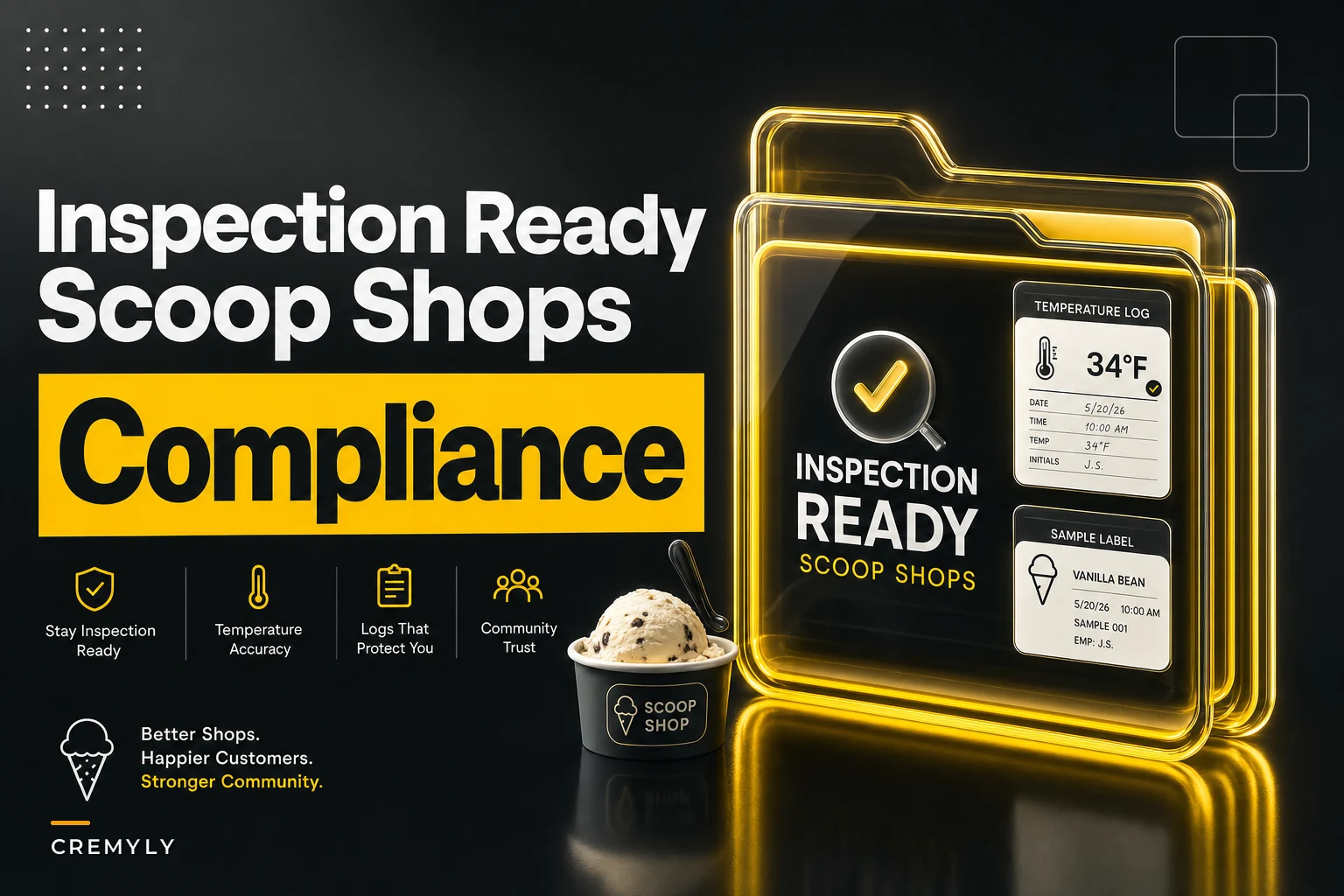

Most scoop shops don't fail health inspections because their ice cream is unsafe. They fail because they can't prove it was safe. The freezer was holding temp, the tubs were rotated properly, the allergens were controlled — but when the inspector asks for the last 30 days of temperature logs, the owner pulls out a clipboard with three dated entries and a bunch of blanks.
That gap between "we actually did the thing" and "we can show we did the thing" is where citations come from. This article is about the documentation and setup that survives an inspection, regardless of what state or country you operate in. The specifics of your local code will vary, but the structure of what inspectors want to see is remarkably consistent everywhere.
The goal is a practical compliance checklist ice cream shop owners can actually use — but the real value is in the templates: printable temperature logs, labeling samples, and a folder structure that turns a chaotic inspection into a five-minute walkthrough.
Start with the folder, not the checklist
Shops that pass inspections cleanly almost always have one physical binder or one shared drive folder that an inspector could open and immediately understand. Shops that scramble have paperwork scattered across a manager's phone, a kitchen drawer, an email inbox, and a laminated sign taped to the walk-in.
The inspector doesn't care that you have the information. They care whether you can produce it in the two minutes they're standing there. So before you touch any checklist, build the folder.
A structure that works across jurisdictions:
INSPECTION-READY/ ├── 01Permits-and-Licenses/ │ ├── Food-service-permit (current + prior year) │ ├── Business-license │ ├── Certificate-of-occupancy │ ├── Frozen-dessert / dairy manufacturing permit (if applicable) │ └── Employee-health/food-handler-cards ├── 02Temperature-Logs/ │ ├── Current-month │ └── Archive (12 months back) ├── 03Cleaning-and-Sanitation/ │ ├── Daily-cleaning-log │ ├── Sanitizer-concentration-log │ └── Deep-clean-schedule ├── 04Labeling/ │ ├── Master-label-samples (one per product) │ ├── Allergen-matrix │ └── Date-marking-SOP ├── 05Supplier-and-Receiving/ │ ├── Approved-supplier-list │ ├── Receiving-temp-logs │ └── Recall-procedure └── 06Training-and-Corrective-Actions/ ├── Staff-training-sign-off └── Corrective-action-log
The single most overlooked section is the last one. Inspectors love a corrective action log because it proves you notice problems and fix them. A shop that logged "walk-in reading 8°C at 2pm — moved product to backup, service tech called, back to -18°C by 4pm" looks more trustworthy than a shop with a spotless log and no evidence anything ever went wrong. Perfect logs read as fake logs.
Keep the corrective action log near the front of the folder so an inspector sees you actually record fixes, not just ideal conditions.
A shop that logged "walk-in reading 8°C at 2pm — moved product to backup, service tech called, back to -18°C by 4pm" looks more trustworthy than a shop with a spotless log and no evidence anything ever went wrong. Perfect logs read as fake logs.
Temperature logs that actually hold up
This is where most citations happen, so it's worth being specific.
Keep your ice cream shop running smoothly.
Cremyly helps you manage every order, stock level, and staff shift with precision and ease.
- Real-time inventory tracking
- Order management dashboard
- Staff scheduling & shift coordination
No credit card required
A frozen dessert operation usually needs to document several temperature points, not just "the freezer." A typical setup involves:
-
Storage freezers / walk-in — hard-frozen storage, generally the coldest
-
Dipping cabinet / display case — held warmer for scoopability
-
Reach-in / prep fridge — for mix, dairy, toppings that need refrigeration
-
Batch freezer or mix pasteurization — if you make your own base
-
Receiving temps — recorded when deliveries arrive
The mistake shops make is logging one temperature once a day. Most codes expect at least a morning and afternoon reading, and the whole point is to catch drift between readings. A single 9am entry doesn't tell anyone what happened during the 3pm rush when the door was open every ninety seconds.
A printable structure that works — print it two-sided, one sheet per day, keep the current month at the front of the folder:
Daily temperature log (printable)
| Time | Walk-in / Storage | Dipping Cabinet | Prep Fridge | Recorded by | Corrective action (if out of range) |
|---|---|---|---|---|---|
| Open (:) | ____ | ____ | ____ | ||
| Midday (:) | ____ | ____ | ____ | ||
| Afternoon (:) | ____ | ____ | ____ | ||
| Close (:) | ____ | ____ | ____ |
Target ranges (fill in your local requirement): Storage: · Dipping cabinet: · Prep fridge:
-
The corrective action column is on the same page. When something reads out of range, the fix gets recorded right next to it — not on a separate incident form nobody remembers to fill out.
-
The recorded-by initials. Inspectors ask "who took this?" and a log full of one person's handwriting across a shop with six employees is an obvious red flag.
Worth flagging specifically: dipping cabinets are the trap. Storage freezers rarely drift because staff don't open them constantly. The dipping cabinet gets opened hundreds of times a day and sits closest to counter warmth. If you're going to get written up on a temperature reading, it's almost always the display case, not the walk-in. Tight rotation and freezer discipline help reduce those readings — the FIFO layouts and 5-minute rotation checks approach keeps product moving so nothing sits at borderline temps long enough to matter.
Tight rotation and freezer discipline help reduce those readings — the FIFO layouts and 5-minute rotation checks approach keeps product moving so nothing sits at borderline temps long enough to matter.
Labeling: the citations nobody sees coming
Temperature logs are the obvious risk. Labeling is the sneaky one, because it feels like marketing rather than compliance, so owners treat it casually.
The inconsistency between what your case sign says and what your pint label says is exactly what a sharp inspector notices. If your display calls it "Sea Salt Caramel" and lists no allergens, but the same flavor made into a take-home pint carries a full ingredient panel, you now have two versions of the truth. That's the kind of thing that turns a routine visit into a longer conversation.
What inspectors and regulations generally want to see depends on how the product is sold:
| Product form | Typical labeling expectation |
|---|---|
| Scooped-to-order in cup/cone | Allergen info available (sign, menu, or on request); flavor names clear |
| Prepacked pint sold from your case | Product name, ingredient list, allergen statement, net weight, your business name/address |
| Wholesale to another retailer | Full label incl. ingredients by weight, allergens, net contents, distributor info; stricter |
| Custom cake / catering item | Ingredient/allergen info for the customer, especially on pre-orders |
A labeling sample you can copy
BROWN BUTTER PECAN ICE CREAM Ingredients: Cream, milk, cane sugar, egg yolks, pecans, butter (cream, salt), sea salt, vanilla extract. CONTAINS: MILK, EGGS, TREE NUTS (PECAN). Net Wt: 473 mL (16 fl oz) Made by: [Shop Name], [Street Address, City] Keep frozen.
The allergen line is in caps and separate — that's not decoration. Separating and emphasizing allergens is one of the most consistent labeling requirements across regions, and it's the first thing an inspector scans.
The allergen matrix in your folder is the unglamorous document that prevents most labeling problems. It's a single grid: flavors down the left, common allergens across the top (milk, egg, tree nut, peanut, soy, wheat, sesame), checkmarks in the cells. When you launch a new flavor, you fill in one row before it goes on the menu. New hires learn to answer allergy questions in seconds instead of guessing. And when an inspector asks "how do you handle allergens?", you hand them the matrix instead of trying to explain your process verbally.
A subtle mistake that comes up more than you'd expect: shops update the flavor but forget the matrix. You swap the almonds in a recipe for a nut-free alternative, the label gets reprinted, but the matrix still shows "tree nut." Now your own paperwork contradicts itself. Whoever owns the flavor rollout should own the matrix update in the same step.
The permits you forget until renewal season
Permits are boring right up until one lapses. The failure mode is almost never "we didn't get the permit" — it's "we got it, then nobody tracked the renewal date."
A frozen dessert shop often carries more permits than a typical café because dairy and, in some places, on-site manufacturing trigger extra requirements. Depending on where you operate, that can include a general food service permit, a business license, a frozen dessert or dairy-specific permit, employee food-handler certifications, and sometimes a separate manufacturing registration if you produce your own base.
The practical fix is a simple renewal tracker at the front of the permits folder:
-
List every permit and license with its issuing body.
-
Record the expiration date for each.
-
Set a reminder 60 days before each expiration — not 7 days, because some renewals require an inspection or a fee cycle that takes weeks.
-
When renewed, replace the document in the folder and log the new date.
-
Keep the prior version too — inspectors sometimes want to see continuity.
Sixty days sounds like overkill until a renewal requires a pre-inspection and the earliest available slot is five weeks out. Shops running 7-day reminders end up operating on an expired permit through no real fault of their own, just bad lead-time math.
A real scenario
A two-location scoop shop — one storefront, one seasonal kiosk — kept getting minor write-ups at the storefront. Nothing dangerous: incomplete temp logs, a pint label missing the net weight, one food-handler card that had lapsed. Individually small, but they'd racked up enough that a follow-up visit was scheduled, which for a small operator eats a full morning and a lot of nerves.
The fix wasn't complicated. They built the folder structure above, switched to the four-times-a-day log with the corrective-action column baked in, and added the recorder-initials requirement so logs stopped reflecting one person's afternoon guesswork. Renewal dates went into a shared calendar with 60-day alerts. They spent maybe an afternoon setting it up and about five minutes a day maintaining it.
At the next inspection, the whole review took under fifteen minutes because the inspector could find everything without asking twice. The recurring minor citations dropped off, and the follow-up visits stopped. The ice cream didn't change at all. The evidence changed.
When this level of documentation is overkill — and when it isn't
If you run a single seasonal cart that only sells pre-wrapped novelties you buy in, you don't need a six-folder system and four daily temperature readings across five equipment types. A receiving-temp log and one storage-freezer log will likely cover you. Matching your documentation to your actual risk keeps staff from tuning it out.
But the moment you're making your own base, selling prepacked pints, doing wholesale, or running catering with pre-orders, the full structure earns its keep. Those are exactly the activities that add permits, add labeling requirements, and add the temperature points inspectors scrutinize. The shops that get burned are usually the ones that grew into manufacturing or wholesale but kept using the paperwork habits of a simple scoop counter.
Keeping it maintained without it falling apart
Building this system isn't the hard part. Keeping it alive after week two is.
Paper logs get abandoned because they live on a clipboard nobody looks at, and permit dates get forgotten because they're written on a sticky note in a drawer somewhere. Pulling the routine into whatever operational platform your team already uses for opening and closing tasks makes a real difference — daily readings become checkboxes someone actually completes, and a lapsing permit throws an alert before it becomes a citation.
AI-powered operational software handles this kind of routine documentation well precisely because it's repetitive and easy to skip. When temperature readings, permit reminders, and corrective action entries are tied into the same platform your staff uses for daily tasks, the system gets filled in because it's part of the flow, not because someone remembered to pull out the clipboard. The digital record also gives you timestamps and staff attribution that handwritten logs fake poorly, which is exactly what inspectors probe.
Here is a simple workflow that captures the day-to-day process.
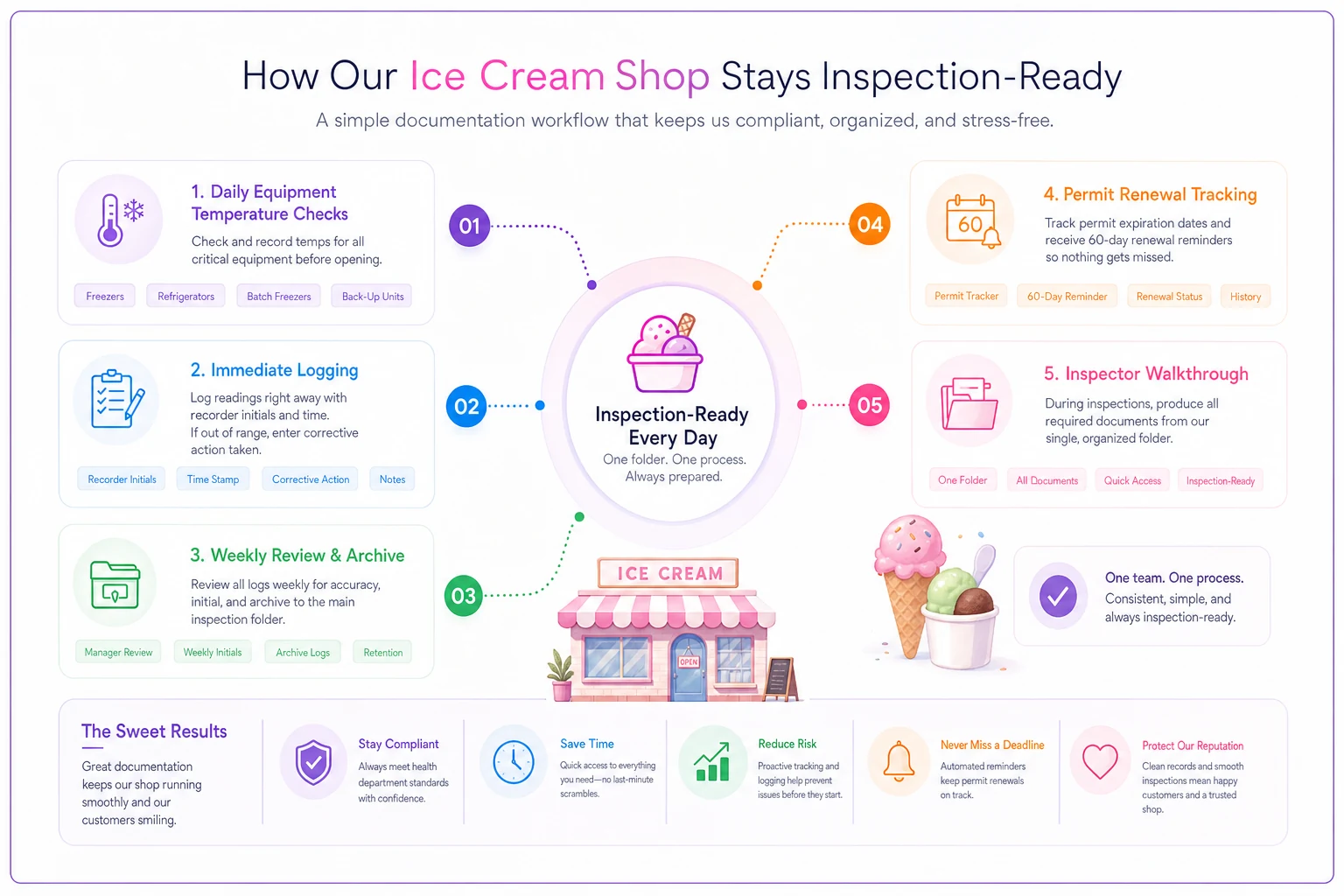
The same equipment-monitoring discipline described in freezer-fleet preventive maintenance overlaps neatly here, since the temperatures you log for compliance are the same ones that warn you a compressor is starting to fail. You don't need software to pass an inspection — plenty of shops do it with a well-organized binder. The tools just make the difference between a system that survives your best manager quitting and one that quietly rots the week you get slammed.
You don't need software to pass an inspection — plenty of shops do it with a well-organized binder. The tools just make the difference between a system that survives your best manager quitting and one that quietly rots the week you get slammed.
The one-page checklist to keep at the front
An inspection is really just someone asking you to prove the things you already do well.
-
[ ] Inspection-ready folder built (6 sections above), physical or shared drive
-
[ ] All permits current, expiration dates logged, 60-day renewal reminders set
-
[ ] Prior-year permit copies retained for continuity
-
[ ] Daily temp log with 2–4 readings, corrective-action column, and recorder initials
-
[ ] 12 months of temp logs archived and findable
-
[ ] Sanitizer concentration and cleaning logs current
-
[ ] Master label sample on file for every prepacked product
-
[ ] Allergen line separated and emphasized on all pint labels
-
[ ] Allergen matrix updated whenever a flavor changes ingredients
-
[ ] Case signage and pint labels tell the same story
-
[ ] Food-handler cards current for every employee, copies filed
-
[ ] Corrective-action log showing real problems caught and fixed
-
[ ] Receiving-temp log for incoming dairy and mix
-
[ ] Recall procedure documented and staff know where it lives
Passing cleanly comes down to whether the proof is organized enough that anyone standing at your counter — an inspector, a new manager, or you on a rough day — can find it fast.
An inspection is really just someone asking you to prove the things you already do well. Passing cleanly comes down to whether the proof is organized enough that anyone standing at your counter — an inspector, a new manager, or you on a rough day — can find it fast.
Ready to scoop up efficiency and grow your shop?
Join hundreds of ice cream shops using Cremyly to boost productivity, reduce waste, and delight customers with faster service.